Rarest Answer Party Guides Hub
From first join to rare-answer wins, scoring literacy, private lobbies, and cosmetics.
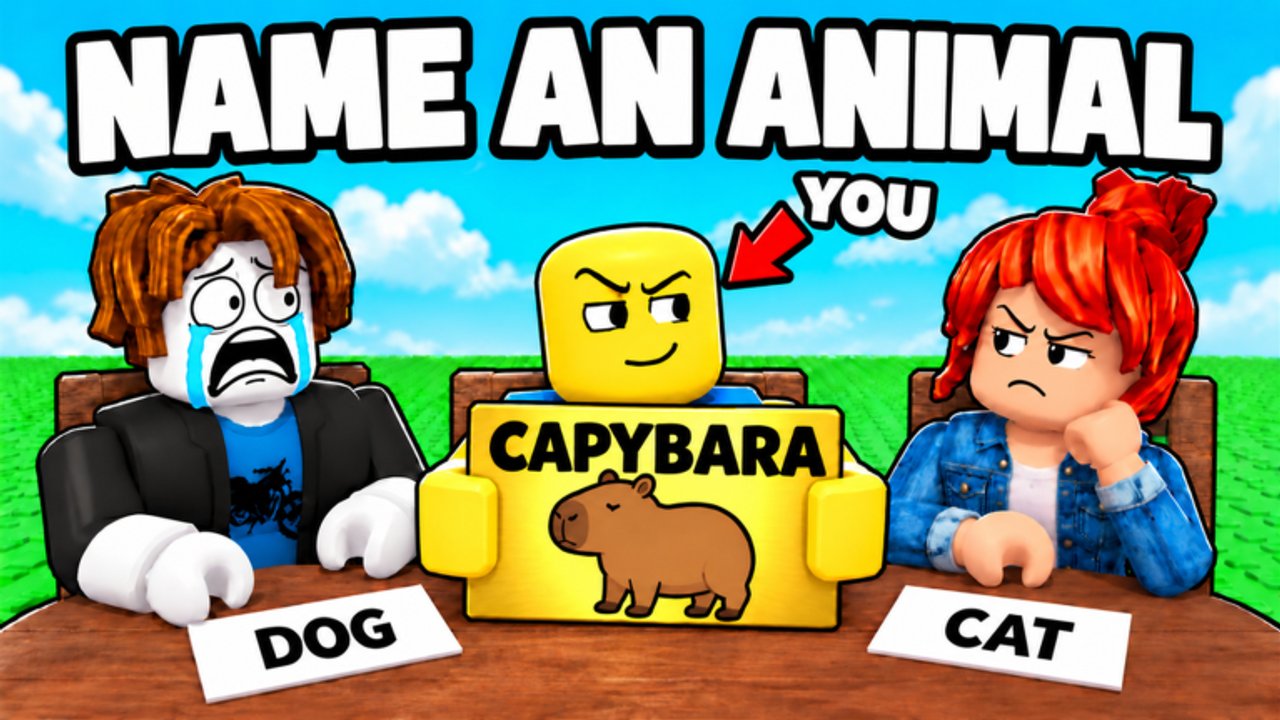
Welcome to the Guides Hub for Rarest Answer Party!, the Roblox party quiz by Torrey Pines. This experience launched on October 24, 2026 (universe 10772648808, place 70967715806705). Matches run with up to six players. You answer prompts, and rarer answers earn more points. Outscore the lobby to win. This hub is the map to every how-to on the wiki—bookmark it and jump to the page that matches what you need right now.
Do not confuse this game with similarly named Roblox titles. Here the loop is simple and competitive: read the prompt, submit a valid answer, then watch rarity scoring decide who pulls ahead. Public lobbies offer Easy, Medium, Hard, and Random difficulties. Free private servers let you invite friends, customize the match, and pick genres without paying for VIP access. Alongside scoring, you can collect mics, chairs, and entrance effects—fun cosmetics that do not change how points work.
Start here if you are new
New players should open Getting Started first. That guide walks the full loop from joining a server, reading a prompt, submitting an answer, and reading the scoreboard. Next, read How Scoring Works so rarity, validity, collisions, and the report tool make sense before you grind.
If you already know the basics and keep losing to people who type weird-but-valid answers, go straight to Rare Answer Strategy and Answer Ideas. Those pages teach the habit of skipping the first obvious word, building category banks, and keeping backups when the lobby is primed.
Match setup and social play
Difficulty is not flavor text. Difficulty Modes explains what Easy, Medium, Hard, and Random change about prompt feel and how to pick a lobby that matches your group. When you want a chill session with friends—or a practice table for rare picks—use Private Servers. Private servers are free: create from the Roblox Servers tab, invite your party, customize genre, and control the vibe without random public traffic.
After you settle into regular play, cosmetics become the long-term drip. Mics and Chairs covers microphones you can equip or hold, chairs you can sit on, and entrance effects. They are collectibles for style and party flair; they never buff rarity scoring.
Related hubs outside Guides
Pair these tutorials with the rest of the wiki. Check Codes when you wonder about promo gifts—as of mid-November 2026 there are no confirmed active promo codes, so that page tells you how to verify on the game page and updates instead of inventing fake strings. Browse the Tier List for ranked thinking about answer quality and lobby habits. Follow Updates for patch notes such as the November 2026 Rarity Scoring Revamp and the Questions Update (40+ new questions around November 13). Use Players context when you care about concurrent trends, and keep Tools handy if an answer-bank utility page is what you need mid-match prep.
How to use this hub during a session
- Warm up with Getting Started if anyone in the party is brand new.
- Agree on difficulty using Difficulty Modes, or spin up a Private Server for custom genre play.
- During downtime between rounds, skim Rare Answer Strategy or Answer Ideas and practice one category bank.
- After the match, show off cosmetics from Mics and Chairs and check Updates so scoring or question changes do not surprise you next time.
What good guide reading looks like
Rarest Answer Party rewards lateral thinking more than trivia speed alone. Reading one strategy page will not guarantee a win in a six-player lobby, but consistent habits will: avoid the first word everyone shares, keep answers valid for the prompt, submit before the timer, and review how rare your pick was. Private servers are the best practice room. Public Hard lobbies are where you stress-test those habits against sharper players. Random is useful when you want variety without overthinking the queue button.
Genre sits in Party & Casual / Quiz on Roblox. The game is Roblox-only, with online multiplayer co-op competition—there is no offline single-player campaign. Keep facts consistent across the wiki: six-player servers, free private match customization, mic and chair collectibles, and rarity-first scoring. When Torrey Pines ships more accepted answers or new questions, treat Updates as the changelog and refresh your personal answer banks afterward.
Guide index
- Getting Started — join, prompt, submit, score
- How Scoring Works — rarity, validity, collisions, reports
- Rare Answer Strategy — think rare on purpose
- Answer Ideas — category starter banks
- Difficulty Modes — Easy, Medium, Hard, Random
- Private Servers — free lobbies with friends
- Mics and Chairs — cosmetics that do not affect score
Use this hub as your home base. Deep pages stay linked to each other so you can move from onboarding to strategy to social setup without dead ends. Play fair, report bad answer data when the in-game report tools allow, and keep your focus on valid rare picks—that is how you win Rarest Answer Party nights.
Frequently Asked Questions
Quick answers about rarity scoring, modes, and party play.
Which guide should I read first in Rarest Answer Party?
Start with Getting Started for the join-to-score loop, then Rare Answer Strategy once you understand how rarity scoring works.
Do private servers cost Robux in this game?
No. Rarest Answer Party offers free private servers with match customization and genre selection for friend groups.
Do mics and chairs help me score more points?
No. Mics, chairs, and entrance effects are cosmetics only. Rarity of your submitted answer decides points.
Is this the same game as Rarest Answer Wins?
No. Rarest Answer Party! by Torrey Pines is a separate Roblox experience. Do not reuse codes or mechanics from similarly named titles.